Hear when we ship something useful
A short email when we ship something useful for shop-floor teams.
You can unsubscribe anytime. By subscribing you agree to our Privacy Notice.
What the shop floor is running now, and what comes next.
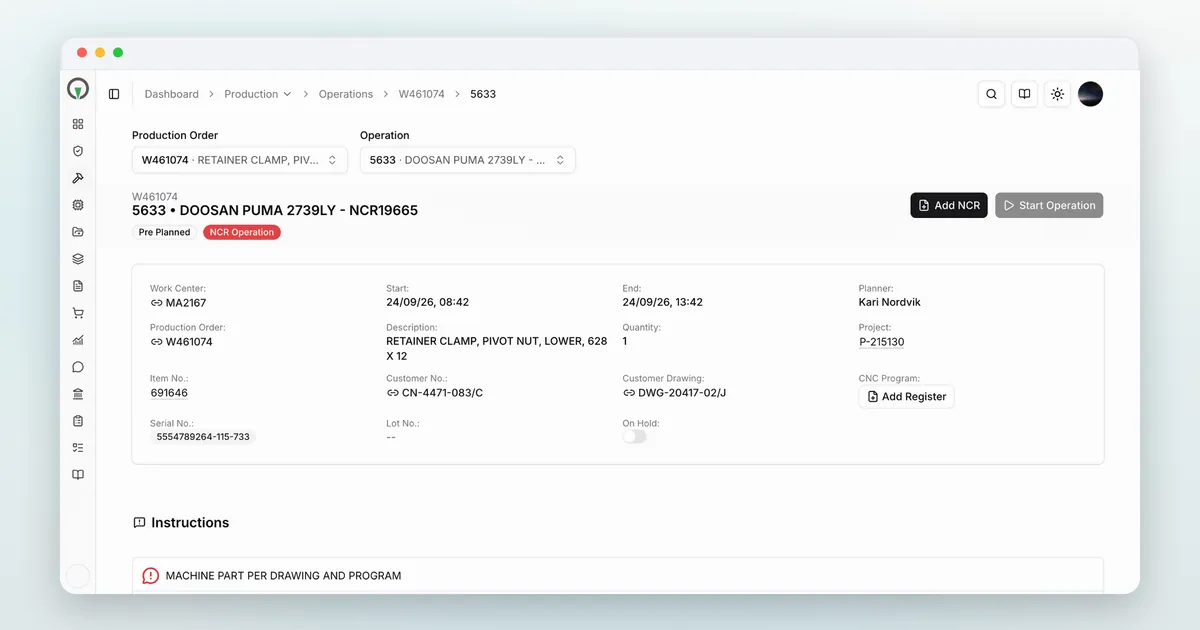
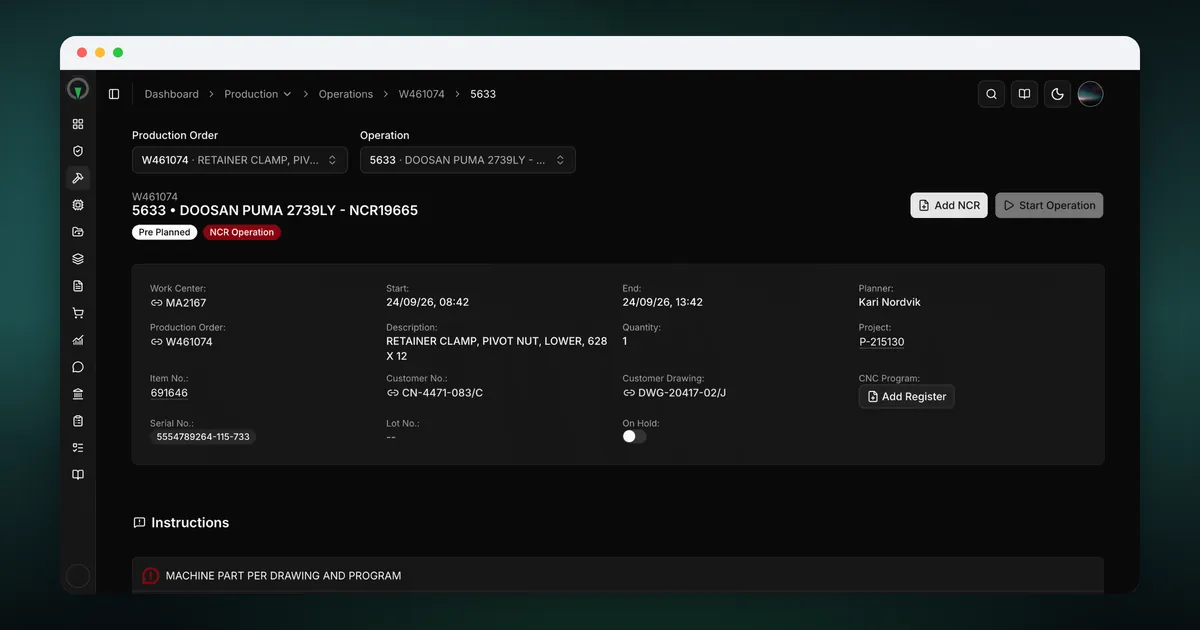
Your production data is already in Business Central: routings, work centres, production orders, capacity. Production reads it and lays it out for the people who decide what runs next, with one button that drives each operation through planned, in progress and finished, and every pause and transition stamped on the record.
Routing
Visual Tracking Routing brings the manufacturing sequence, work centers, planned times and attachments together.
Where does your team currently find the information needed for the next operation?
How it works in Visual Tracking
Three levels: find a routing, read its operations in sequence, and open one operation for its work centre, setup and run times, instructions and tagged documents. The routing is the Business Central template the production order is built from, so what the team reviews here is what the shop floor is handed.
Production Order
Visual Tracking Production Order brings operation progress, dates and planned versus recorded run times into view, with the required components, serial numbers and inventory locations in the context of the assembly operation.
How early can your team identify an operation taking longer than planned, and are all the components available before assembly starts?
How it works in Visual Tracking
One order in full: the header, every routing line with planned dates and planned versus recorded run time, and the components it consumes with availability, serial numbers and inventory location, plus the messages and documents attached to it. An operation running long shows the gap on its line, and an assembly short of a component shows which one before the operator asks.
Operations
Visual Tracking Operations brings operation details, documents and component information together.
How often does your team pause work to find information or request clarification?
How it works in Visual Tracking
Everything relevant to one operation on a production order: details, instructions, attached documents, messages, components, reports and the activity log. One button drives it from Planned to In Progress to Finished, Pause returns it to Planned with a flag, and every transition is logged, with the same log available in Business Central as the Routing Line Log for auditors.
Progress per Resource
Visual Tracking Progress per Resource brings operation status across production orders into one view.
How much of the meeting is spent confirming status, and how much on deciding the next action?
How it works in Visual Tracking
Every active production order in one table, each routing operation shown as a compact status indicator. Project managers open it every morning to answer where everything is on one screen, without opening each order.
Work Center
Visual Tracking Work Center makes operational responsibilities easy to find.
How clearly is ownership communicated across your production team?
How it works in Visual Tracking
Work centres and their groups as Business Central defines them, each with the person responsible and the operations currently queued there. It answers who to ask about a machine without a walk across the shop.
Queue List
Visual Tracking Queue List shows the operations that are ready to start, week by week, for the work centers you care about.
How does your team agree on and communicate the next production priorities?
How it works in Visual Tracking
Scheduled operations across the work centres a user cares about, laid out week by week, with filters by work centre group, work centre, project, status and date range. An operation only appears once the previous routing step is finished, so the planner ends a stand-up by pointing at it: this is what starts today, this is what we are short on.
Production Load
Visual Tracking Production Load colours each work center against its own capacity, period by period, so an overloaded work center shows red even when the total looks fine.
What information does your team review before committing to another delivery date?
How it works in Visual Tracking
Load against Business Central's own capacity for each work centre, period by period, from three months back to six ahead, by day, week, month, quarter or year. Each work centre is coloured against its own capacity, so a small one shows red even when the total looks fine. Released work is solid and planned work is hatched, which shows how much of an overload can still be moved. Click any part of the chart for the production orders behind it, or switch to the treemap for each work centre's share of the load.
Trace List
Visual Tracking Trace List brings serial, lot, heat and certificate references into the production context.
How much checking is needed before your team can confirm a serial, lot or heat number?
How it works in Visual Tracking
Every posted operation tied back to its production order, with the serial, lot and heat numbers and the certificates registered against them, as a tree of every component consumed. A customer's trace request is answered from one page rather than reconstructed from folders.
Re-planning
Visual Tracking Re-planning supports coordinated date changes across related production orders.
How many related production orders does your team check before confirming a new date?
How it works in Visual Tracking
Pick a production order and Re-planning finds its whole delivery tree automatically, then moves every order by the same number of days backward from a new due date or forward from a new start date, so sub-assemblies still finish before the orders that use them. Untick an order to hold it, switch on close the gaps to pull early sub-orders up to where they are needed, and preview the shift before confirming: the affected purchase lines, and the load impact on each work centre against its capacity, with any week the move pushes over capacity marked in red and the deliveries holding that week one click away. Only the dates move; components, routing lines and reservations stay in place.
CNC Registry
Visual Tracking CNC Registry connects program references with drawings, routings and operations, with approval status visible.
How does an operator know the program on the machine is the approved revision?
How it works in Visual Tracking
A register is one drawing revision machined on one routing operation and holds every revision of that job's CNC program under one name, which is also the file name on the machine. Each revision is Draft, Approved or Rejected, a register has at most one approved revision and approving a new one retires the old, and the operation page, routing operation and Queue List show the approved revision linked to the register, or say no approved program when there is none.
Capacity ledger entries posted from Operations feed Hours Cost actuals.
Production state is one of the cards on the personal dashboard.
Non-conformances raised against a production order attach to the order.
Book a meeting and we will look at how your work centres post today, then show the queue, load, and operation views your planners and leads can read from any screen. If it is not a fit, we will say so.
A short email when we ship something useful for shop-floor teams.
You can unsubscribe anytime. By subscribing you agree to our Privacy Notice.